

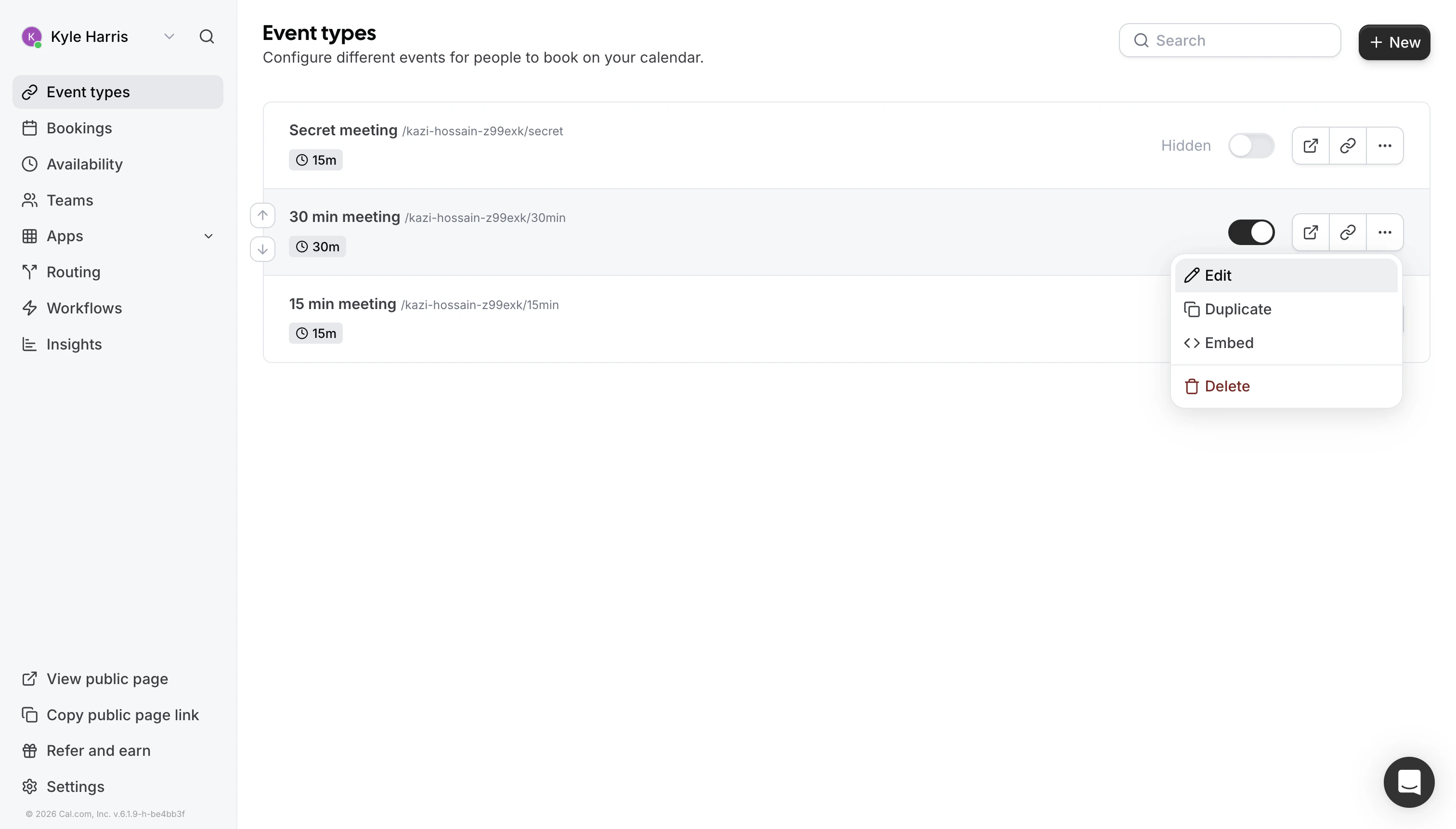
Step 1: Go to Event Type Settings

Navigate to your Cal.com event type settings. Event Type Settings
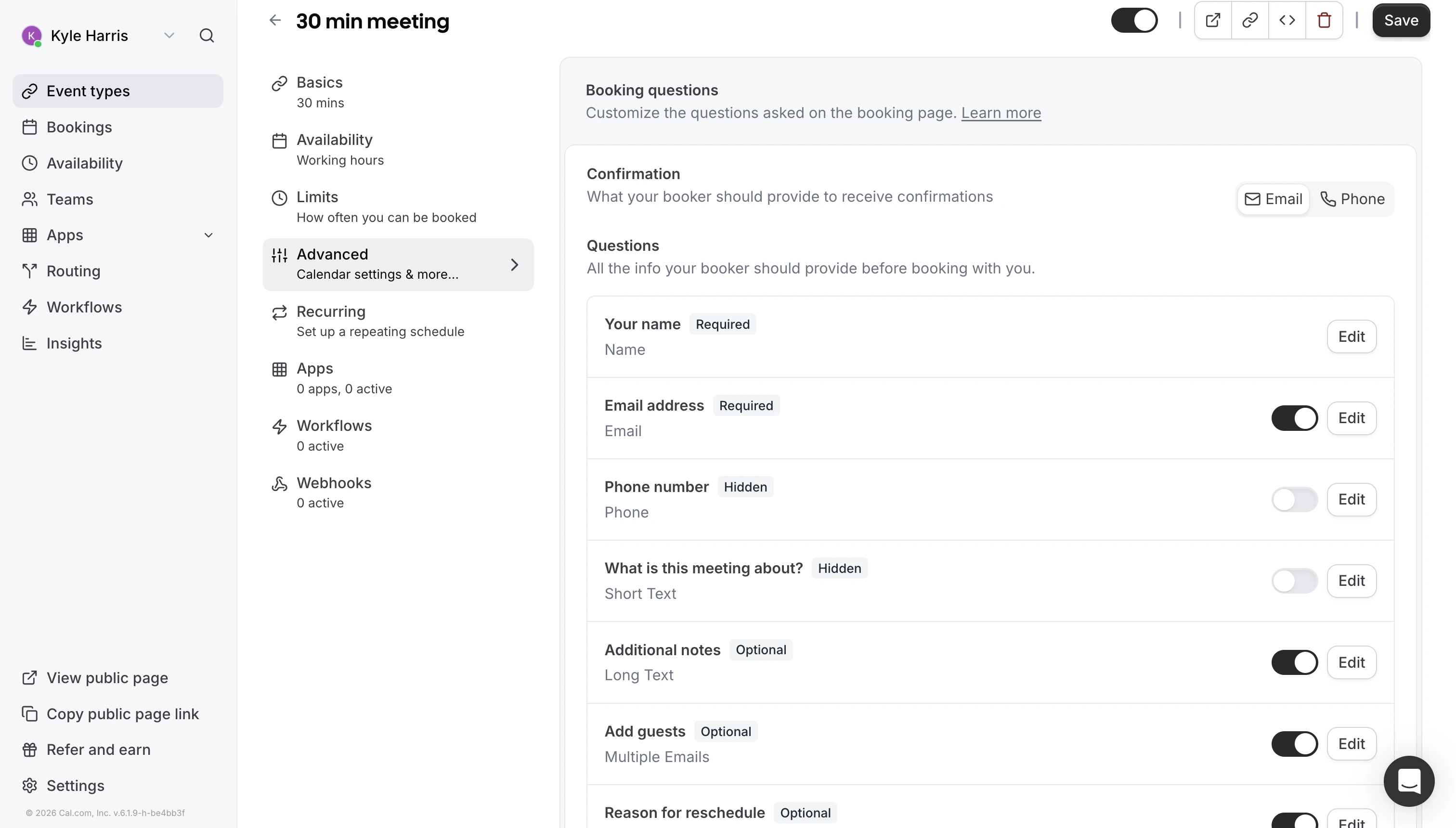
Step 2: Open Booking Questions

Click on “Booking Questions” in the event type settings under “Advanced”. Booking Questions
Step 3: Add a Question

Click “Add a question” to create a new booking field. Add Question
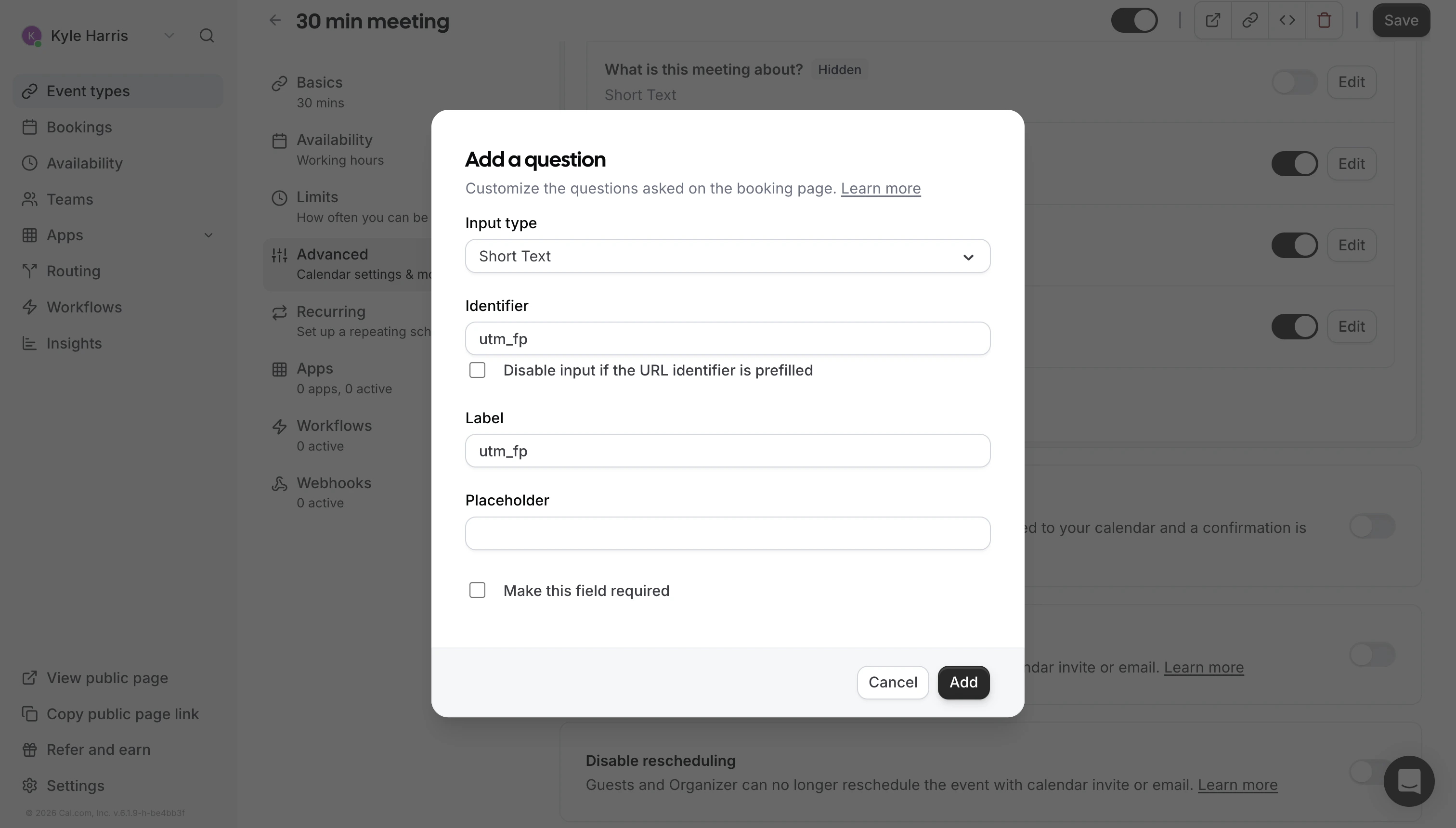
Step 4: Configure the Field

Set the following values:
SettingValue
Input TypeShort Text
Identifierutm_fp
HiddenEnabled
RequiredNo
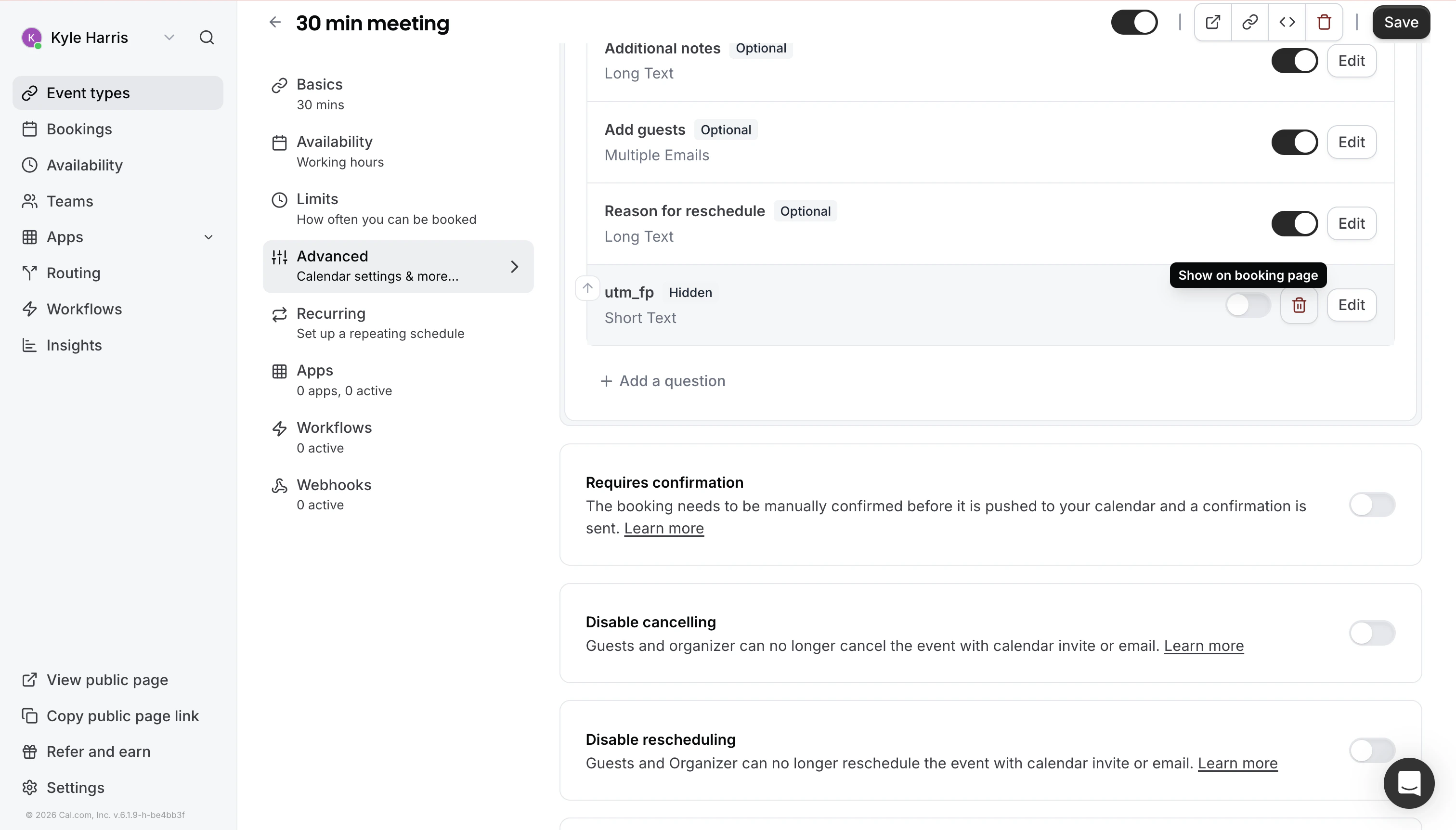
Field Configuration

Step 5: Save

Save the event type to apply your changes. Make sure you toggle “Show on Booking Page” to off (To the left of the trash icon). That’s it! Thred will pick up Cal.com bookings as conversion events and attribute them to AI-originated buyer activity.

Important

Make sure you have the Thred tracking script installed on your website before configuring Cal.com. Without the script, the integration will not work.