> ## Documentation Index
> Fetch the complete documentation index at: https://www.thred.dev/llms.txt
> Use this file to discover all available pages before exploring further.
> Map Cal.com booking submissions into Thred as attributable conversion events.
# Cal.com Form Tracking
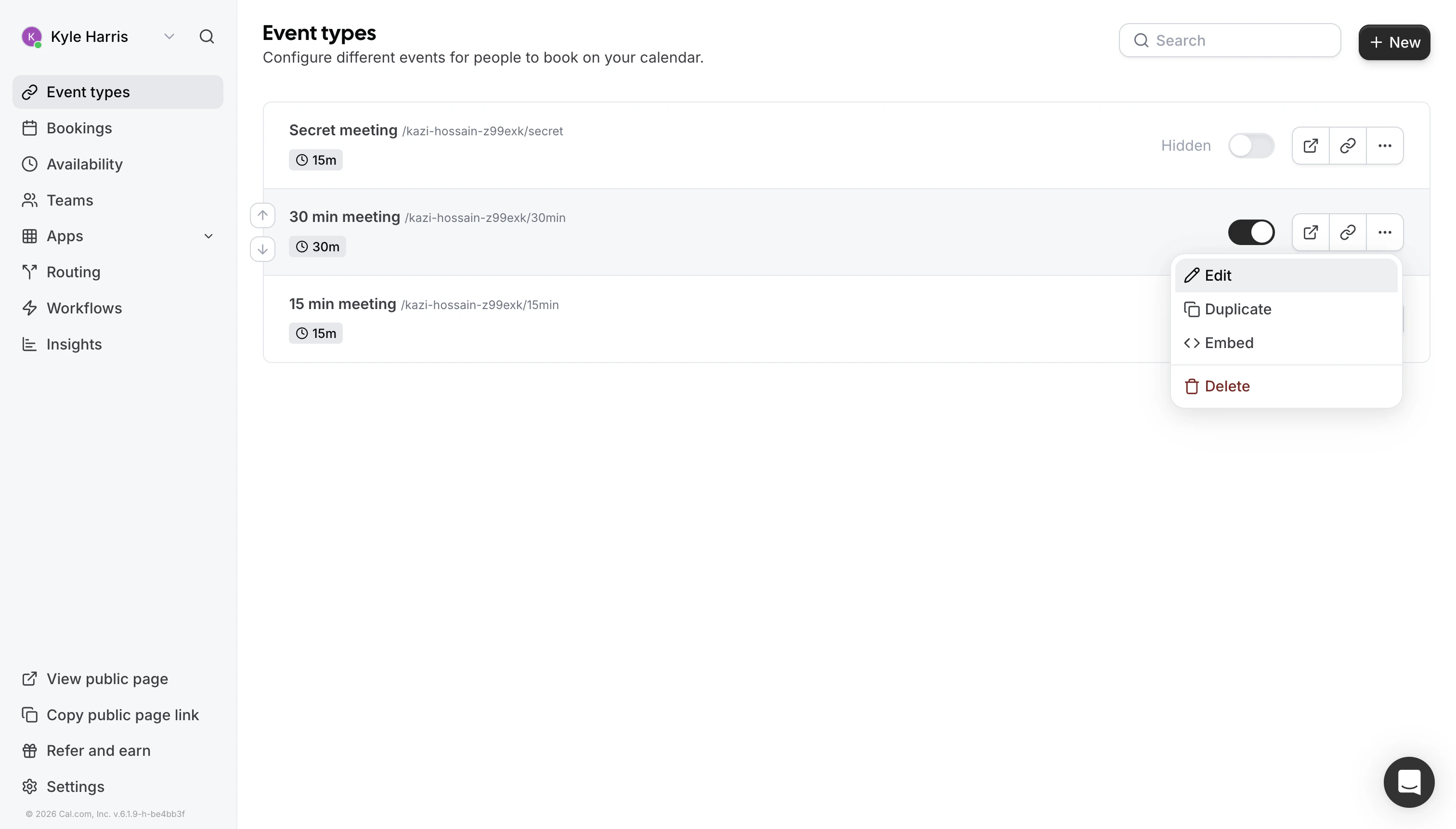
## Step 1: Go to Event Type Settings
Navigate to your Cal.com event type settings.
 ## Step 2: Open Booking Questions
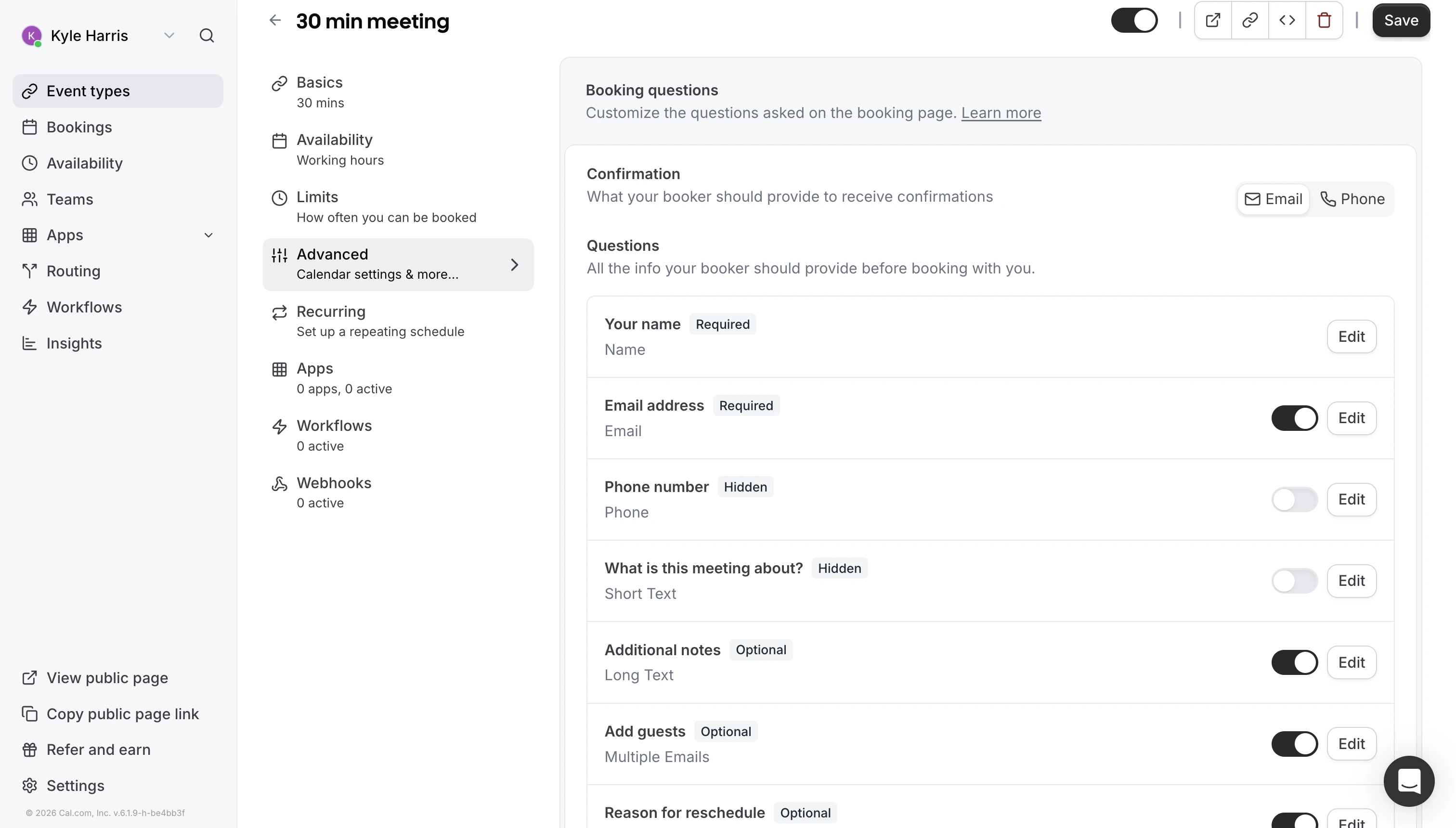
Click on "Booking Questions" in the event type settings under "Advanced".
## Step 2: Open Booking Questions
Click on "Booking Questions" in the event type settings under "Advanced".
 ## Step 3: Add a Question
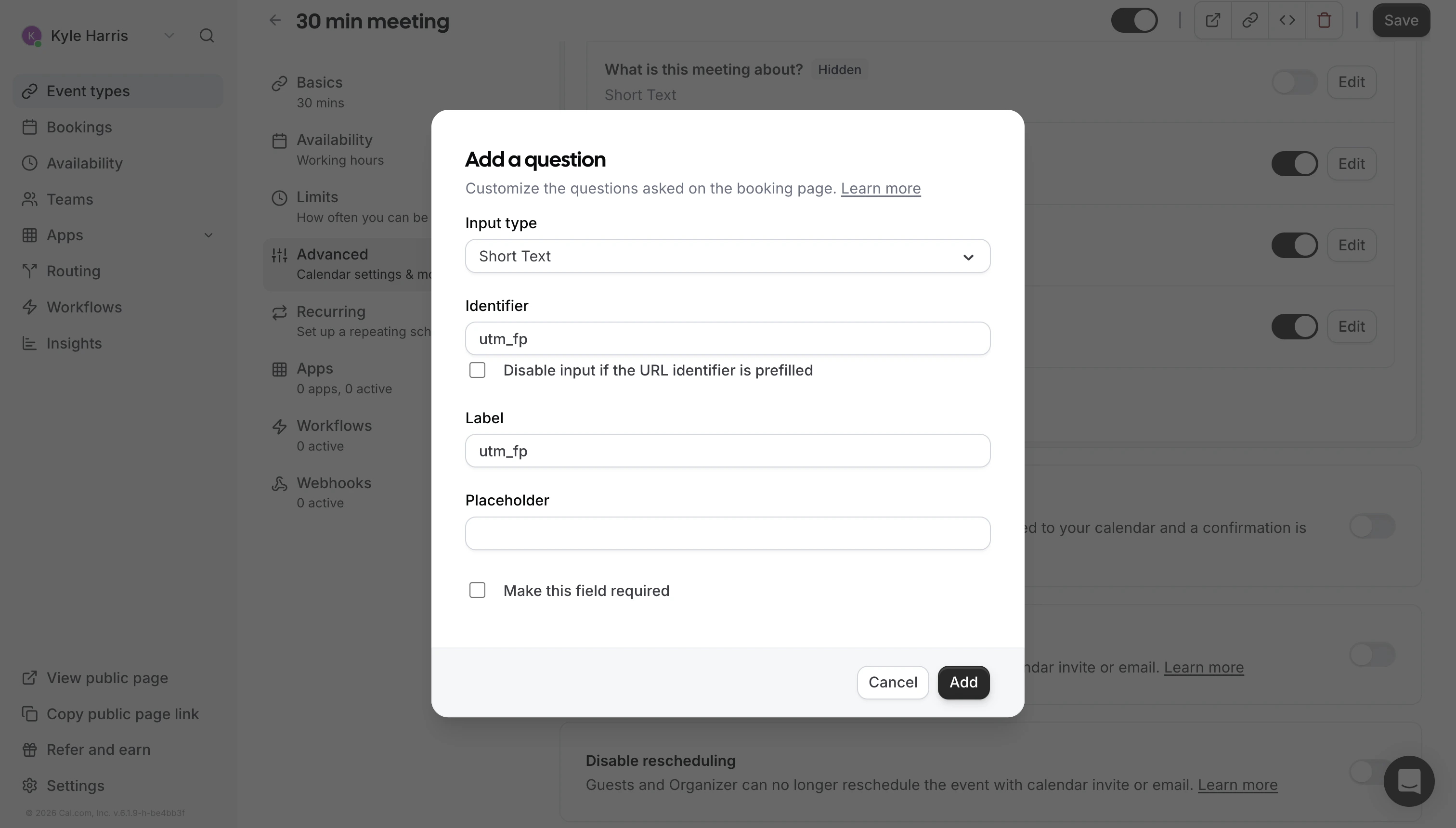
Click "Add a question" to create a new booking field.
## Step 3: Add a Question
Click "Add a question" to create a new booking field.
 ## Step 4: Configure the Field
Set the following values:
| Setting | Value |
| ------------ | ---------- |
| `Input Type` | Short Text |
| `Identifier` | `utm_fp` |
| `Hidden` | Enabled |
| `Required` | No |
## Step 4: Configure the Field
Set the following values:
| Setting | Value |
| ------------ | ---------- |
| `Input Type` | Short Text |
| `Identifier` | `utm_fp` |
| `Hidden` | Enabled |
| `Required` | No |
 ## Step 5: Save
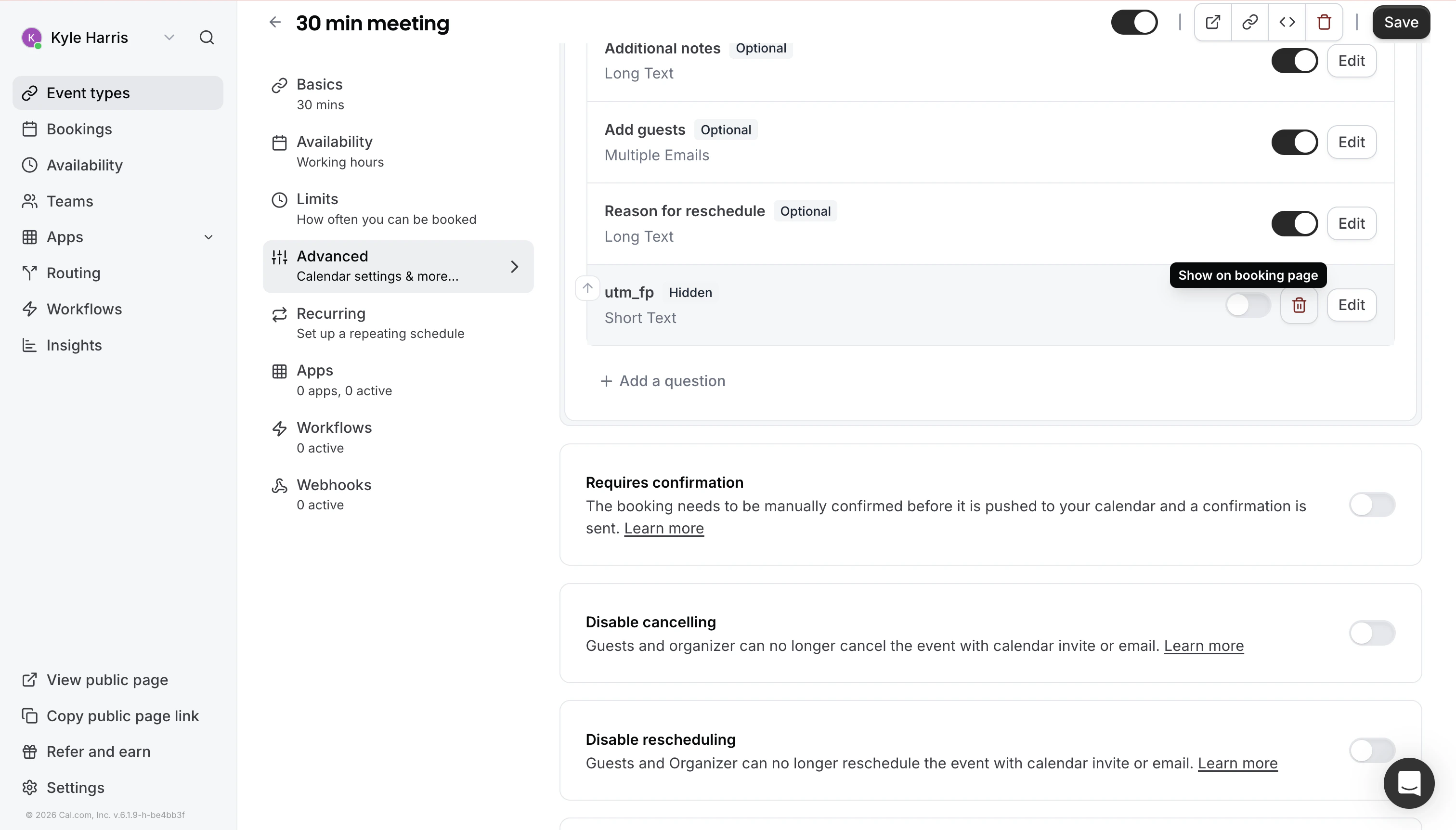
Save the event type to apply your changes. Make sure you toggle "Show on Booking Page" to off (To the left of the trash icon).
That's it! Thred will pick up Cal.com bookings as conversion events and attribute them to AI-originated buyer activity.
## Important
Make sure you have the Thred tracking script installed on your website before configuring Cal.com. Without the script, the integration will not work.
## Step 5: Save
Save the event type to apply your changes. Make sure you toggle "Show on Booking Page" to off (To the left of the trash icon).
That's it! Thred will pick up Cal.com bookings as conversion events and attribute them to AI-originated buyer activity.
## Important
Make sure you have the Thred tracking script installed on your website before configuring Cal.com. Without the script, the integration will not work.